
Kia Cadenza YG: Timing System / Drive Belt Components and Components Location
Kia Cadenza YG 2016-2021 Service Manual / Engine Mechanical System / Timing System / Drive Belt Components and Components Location
| Components |
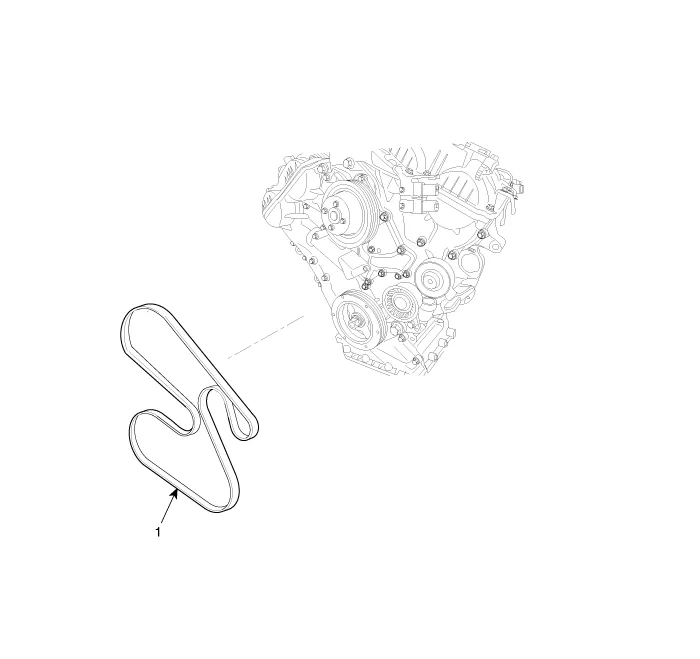
| 1. Drive belt |
Components 1. Drive belt2. Drive belt tensioner3. Idler4. Crank shaft pulley5. Water pump pulley 1. Oil pump chain cover2. Oil pump sprocket3.
Removal and Installation 1. Disconnect the battery negative terminal. 2. To release the tension, turn the drive belt tensioner counterclockwise then remove the drive belt (A).
Other information:
Kia Cadenza YG 2016-2021 Service Manual: Specifications
S
Kia Cadenza YG 2016-2021 Service Manual: Auto defoging sensor Repair procedures
Inspection 1. Press the OFF switch more then 4 times within 2 seconds while pressing the MODE switch. DisplayFail description00Normal23Auto defog sensor OPEN24Auto defog sensor SHORT43Defog door potentiometer OPEN/SHORT44Defog door potentiometer * Diagnostic procedure refer to DTC code.
Categories
- Manuals Home
- Kia Cadenza Owners Manual
- Kia Cadenza Service Manual
- Steering System
- Body Control Module (BCM) Description and Operation
- Engine Control / Fuel System
- New on site
- Most important about car

Copyright © 2026 www.kcadenzavg.com - 0.0268